


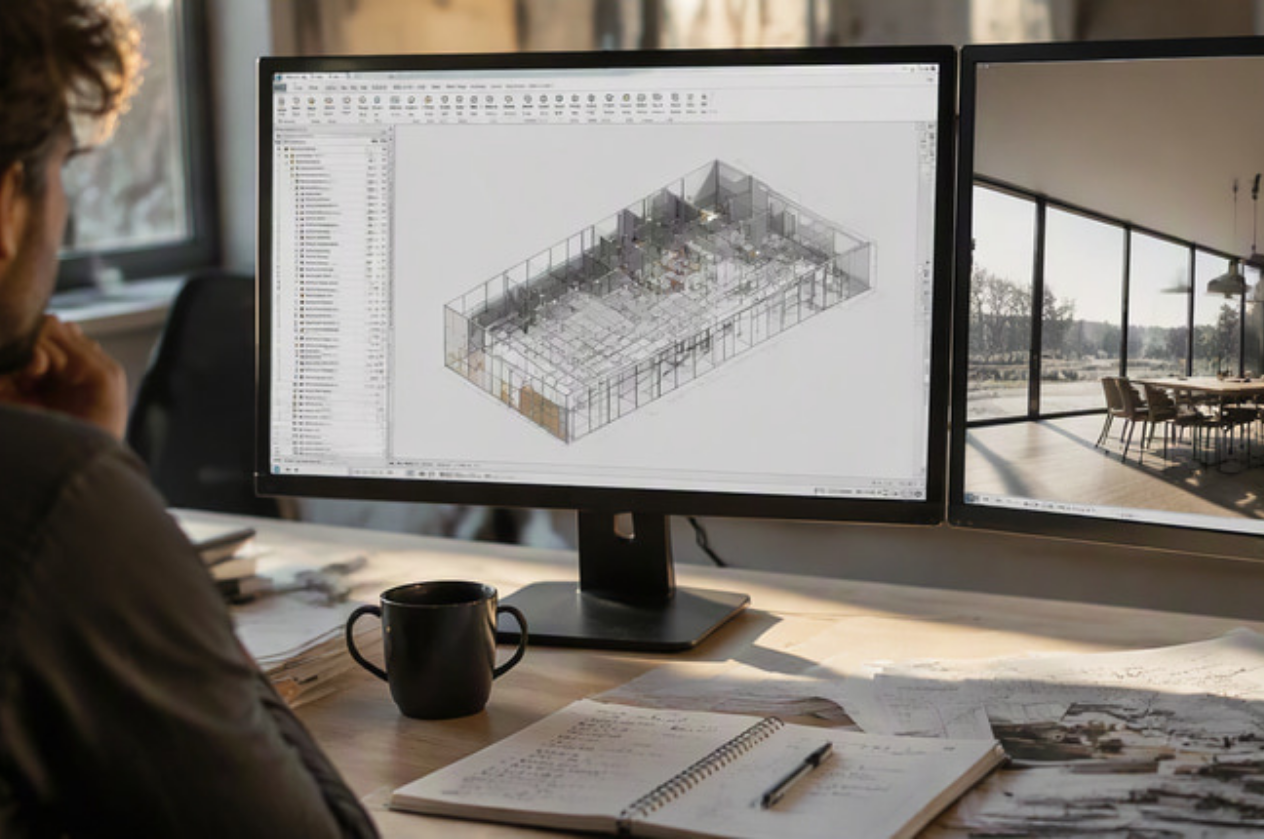
Revit is a powerful BIM platform, but many design teams face the same challenge: repetitive tasks, complex documentation, large volumes of data, and time-consuming visualisation workflows.
This is where Revit plugins and add-ins can make a significant difference.
The best Revit plugins do not simply add more features. They help solve specific workflow problems. Some automate repetitive tasks. Others simplify parameter management and drawing production. Real-time visualisation tools help architects and designers evaluate materials, lighting and spaces before a project reaches the final presentation stage.
In this article, we look at some of the best Revit plugins in 2026 and how they can help improve productivity, documentation and real-time visualisation.
How to Choose the Right Revit Plugin
Before installing another plugin, start by identifying the actual bottleneck in your workflow.
Ask yourself:
- Are your teams spending too much time on repetitive tasks?
- Do you regularly manage large amounts of Revit parameter data?
- Is sheet production taking too long?
- Are design reviews difficult because stakeholders cannot visualise the space clearly?
- Does your team need a faster workflow for turning Revit models into high-quality presentations?
A useful Revit plugin should solve a recurring problem. The goal is not to build the largest collection of add-ins, but to create a workflow that is easier, faster, and more reliable.
The best plugin stack is usually a combination of tools for automation, documentation and visualisation.
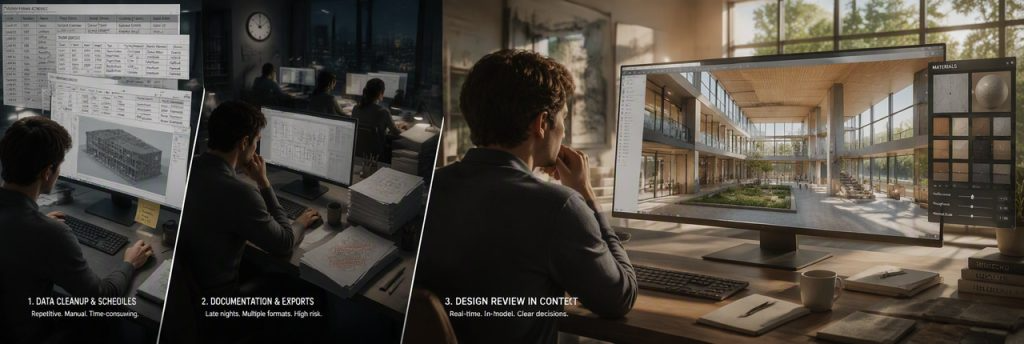
pyRevit
pyRevit is one of the most popular productivity tools for Revit users. It provides a collection of utilities and automation features designed to help users complete repetitive tasks more efficiently.
For BIM teams, architects and Revit power users, small workflow improvements can create significant time savings across a project. Instead of repeatedly carrying out the same manual actions, teams can use automation to speed up common processes involving views, sheets, elements and model data.
pyRevit is particularly useful for teams that already have established Revit standards. However, not every available tool needs to become part of the company workflow.
Start by identifying the repetitive tasks that consume the most time and standardise the tools your team actually needs.
DiRootsOne
DiRootsOne is a collection of Revit productivity tools covering several areas of the workflow, including parameter management, sheets, views, model checking and data-related tasks.
Its strength is flexibility.
Different Revit users have different bottlenecks. A BIM coordinator may spend more time checking parameters, while a documentation team may need faster tools for managing views and sheets.
Instead of treating every feature as essential, teams should select the functions that solve their most frequent workflow challenges.
A focused workflow is usually more effective than installing multiple tools without a clear purpose.
Ideate BIMLink
Revit projects can contain a large amount of structured information. Managing this information directly inside the model can become challenging, especially when teams need to review or update large numbers of parameters.
Ideate BIMLink provides a more tabular workflow for working with Revit data. This can help teams manage and review information more efficiently.
It is particularly useful for workflows involving:
- Large parameter updates
- Data checking
- Information management
- Bulk editing
- Structured data review
However, tools like this should support established BIM standards rather than replace them. Before automating data management, teams should first define what the correct information should look like.
Automation makes a good process faster. It can also make a poor process faster.
DiRoots ProSheets
Documentation is one of the most important stages of a Revit project. Teams may need to export drawings and sheets repeatedly throughout the project lifecycle.
DiRoots ProSheets helps automate the export of Revit views and sheets into multiple formats.
This can reduce repetitive export steps and improve consistency when preparing drawing packages.
It is particularly useful for projects with frequent documentation and issue cycles.
However, an export plugin cannot fix poor documentation management. Teams should still maintain clear standards for:
- Sheet naming
- Revision management
- Drawing organisation
- Issue procedures
- File naming conventions
The right tool can improve efficiency, but the underlying workflow must still be properly structured.
Visualisation plays a different role from automation and documentation.
While productivity tools help users work faster, visualisation tools help teams make better design decisions.
During a design review, a technical Revit model may not always communicate the intended atmosphere of a space. Clients and stakeholders often need to see materials, lighting, furniture, and environmental conditions before they can fully understand the design.
Real-time rendering tools help bridge this gap.
Enscape
Enscape is widely used by Revit teams for real-time visualisation and walkthroughs.
Its main advantage is the ability to review the design visually while changes are still being made to the model.
This can help architects and designers:
- Review materials and finishes
- Explore interior spaces
- Conduct design walkthroughs
- Communicate design concepts more clearly
- Receive feedback earlier in the project
Real-time visualisation can reduce the gap between creating a design and understanding how it will actually look.
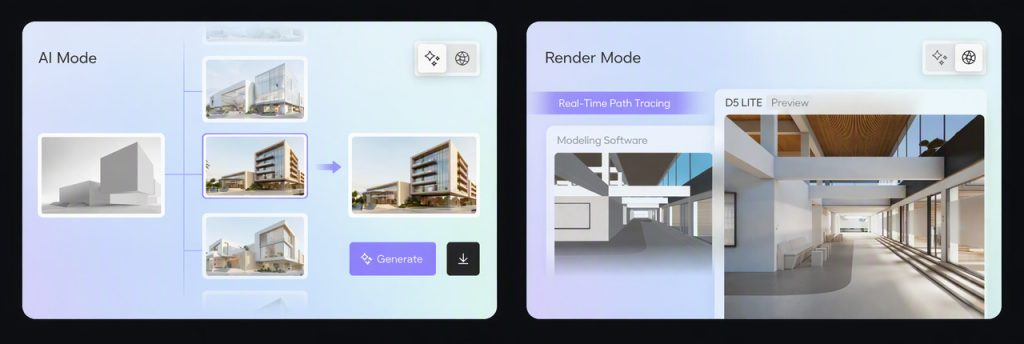
D5 Lite for Revit
D5 Lite for Revit is designed to bring visualisation directly into the design workflow.
Instead of waiting until the Revit model is complete and then rebuilding or exporting the project into another environment, designers can explore visual direction while the model is still evolving.
This is useful during the design stage when decisions are still relatively easy and inexpensive to change.
The workflow can support exploration of:
- Materials
- Lighting
- Atmosphere
- Overall design direction
- Spatial experience
The value of this approach is simple: visualisation becomes part of the design process rather than something that happens only at the end.
Design teams can use visual feedback to evaluate whether an idea is working before moving further into documentation or final presentation.
From Revit to D5 Render: A Connected Visualisation Workflow
For more developed presentations, projects can move from the Revit design workflow into D5 Render.
This allows teams to continue developing their visual content without rebuilding the entire scene from scratch.
With D5 Render, Revit users can create:
- Photorealistic images
- Real-time visualisations
- Animations
- VR walkthroughs
- Interactive presentations
- AI-assisted visualisation
- Material and environment studies
This makes D5 Render particularly relevant for architects, interior designers and visualisation professionals who need to move from a technical BIM model towards a client-ready presentation.
The major advantage of a connected workflow is reduced context switching.
Rather than repeatedly exporting, rebuilding and reworking the same project across multiple applications, teams can maintain a more continuous workflow from design through to visual presentation.
D5 Render also provides live-sync connectivity with Revit, allowing model changes to remain connected to the visualisation workflow. This can help teams iterate more efficiently when design changes occur. Explore D5 Render with ACAD Solutions Malaysia
Twinmotion for Revit
Twinmotion is another option for Revit users who want to develop real-time scenes and presentation environments.
It can be useful for teams that need to add more context, environment and storytelling around a BIM model.
The right choice depends on the workflow requirement.
For example:
- A BIM team may prioritise automation and documentation.
- An architectural design team may need faster visual feedback during design reviews.
- A visualisation team may require high-quality images, animations and immersive presentations.
The best solution is not necessarily the one with the longest feature list. It is the one that fits the specific project workflow.
Building a Practical Revit Plugin Stack
You do not need every available Revit plugin.
A practical workflow could include:
For automation:
A tool such as pyRevit or DiRootsOne for repetitive tasks, views, sheets and data management.
For documentation:
A specialised tool such as DiRoots ProSheets for recurring drawing and sheet exports.
For visualisation:
A real-time workflow that allows designers to evaluate the project while the Revit model is still evolving.
The combination will vary depending on your business and project requirements.
For example, a large BIM coordination project may place greater importance on data and documentation. An interior design project may benefit more from rapid visualisation and material exploration.
The key is to identify where your workflow slows down and select tools that directly address that problem.
Why Real-Time Visualisation Is Becoming More Important
Modern design workflows are becoming increasingly collaborative and fast-moving.
Clients expect to see changes quickly. Design teams need to communicate ideas clearly. Projects also require multiple stakeholders to review and approve decisions throughout the process.
Traditional visualisation workflows can create delays when the model needs to be exported, rebuilt and rendered separately.
Real-time rendering changes this process.
Instead of asking, “What will the project look like after rendering?”, teams can begin asking, “How does the design look right now?”
This allows visual feedback to become part of the decision-making process.
A designer can test materials, lighting or atmosphere while changes are still possible. This can help reduce late-stage surprises and make design reviews more productive.
For Revit users, this is one of the most significant benefits of connecting BIM and real-time visualisation.
Conclusion: Choose Revit Plugins Based on Your Workflow
The best Revit plugins in 2026 are not necessarily the most popular ones.
The most useful tools are the ones that solve problems your team faces repeatedly.
If your workflow is slowed down by repetitive tasks, consider automation tools. If documentation requires too much manual work, look for specialised export and coordination solutions.
If the challenge is visual communication, real-time rendering can help teams see and evaluate their designs while the project is still evolving.
A practical Revit workflow does not need to be complicated. It should connect the right tools to the right stage of the project.
From automation and data management to documentation and visualisation, the goal is the same: reduce unnecessary work and give teams more time to focus on design.
For Revit users who want to explore real-time visualisation and develop professional presentations, D5 Render provides a connected workflow for moving from design-stage exploration to high-quality images, animations and immersive experiences. ACAD Solutions Malaysia provides local access, technical support and guidance for D5 Render users in Malaysia. Get a D5 Render trial or request a quotation